A watch app doesn't need to do everything. Sometimes it just needs to keep the score while you get on with the game.
Built for the green
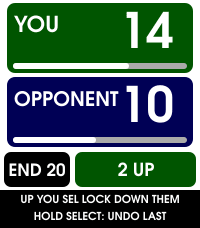
EndWatch is my Pebble bowls scorecard. The idea is straightforward: keep the score close enough to check without getting a phone out, and make the buttons useful during an actual match.
It tracks the end count and shows whether you're up or down. There are controls for one or two points, a dead end and an undo when a button press doesn't go quite to plan.
The small things matter
A scorecard becomes much more useful when it remembers the match afterwards. EndWatch has space for five saved matches, a statistics footer and CSV copying for taking the results elsewhere. Timeline pins can capture a result such as a win or a loss.
There is also a marker mode, and the layouts account for different Pebble screens. Those details are the difference between an idea that looks good in an emulator and something worth wearing.
Small screen. Physical buttons. One job worth doing properly.
What I'd like this journal to capture
The useful part of a project isn't just the download. It's why a layout changed, what a real match revealed and which features earned their space on a tiny display. This is where those notes belong.
View EndWatch in the Pebble app store
On the screen
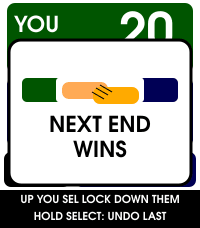
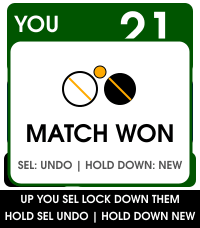
Screenshots: EndWatch on the Pebble Appstore.
Project overview prepared for the G3 site. App screens are the real screenshots from the EndWatch Pebble Appstore listing.